Voicemaker’s ProV1 voices are specially designed for multilingual content creation. They allow seamless switching between languages within the same audio conversion, making them ideal for translating conversations, storytelling, or dialogue-based content involving multiple languages.
Steps to convert multiple language dialogues with ProV1 voices
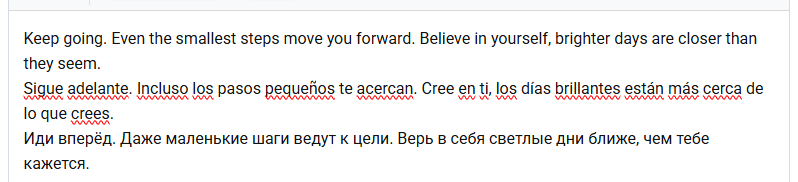
Step 1: Type or paste your entire multilingual text into the Text box on the editor page.
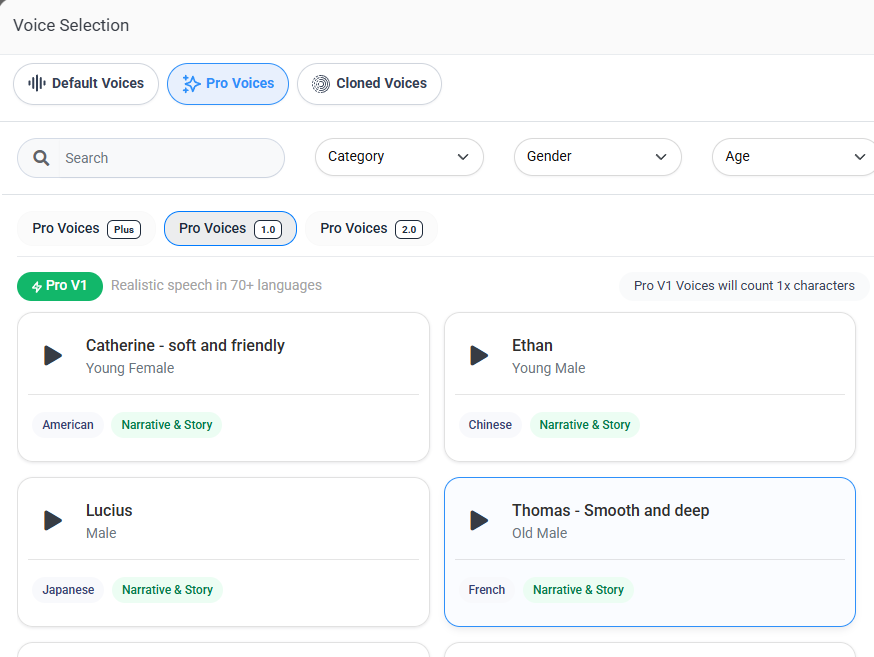
Step 2: Select a ProV1 voice from the Pro Voices section and click on the 'Submit' button.
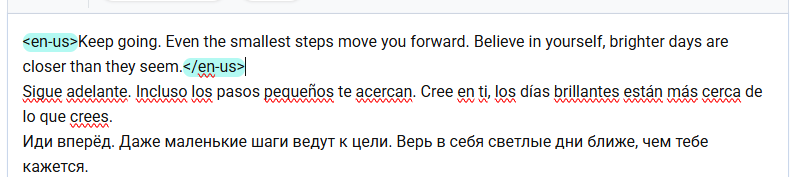
Step 3: Wrap only the portion of the text that is in a specific language in the respective language tag.
For example, if the first sentence is in English, wrap the text in English langauge tags <en-us> your text </en-us>.

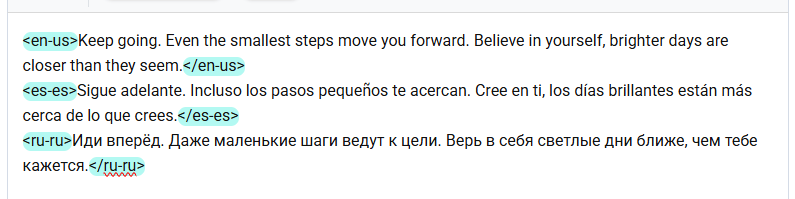
Step 4: Repeat the same process for the next portion of text in a different language.
Wrap the other language text one by one in the appropriate language tag.
Step 5: Ensure that all text segments are wrapped in their respective language tags.
Any text not enclosed in tags may result in incorrect pronunciation or language mismatches.
Step 8: Once all text sections have been properly tagged, adjust the Voice Settings or apply VoxFx effects if required. Then click on the 'Convert to Speech' button.

By correctly tagging each part of your multilingual content, you ensure the most accurate and natural-sounding speech output using ProV1 voices.